Every purchase order your team raises manually is a small tax on your operations. A buyer selects a supplier, copies item codes from a spreadsheet, types quantities, emails the PO as a PDF, waits for an acknowledgement, chases the acknowledgement, updates a tracker, and then starts the whole cycle again when the invoice arrives. Multiply that by 200 POs a month and you have a full-time job that adds no strategic value whatsoever.
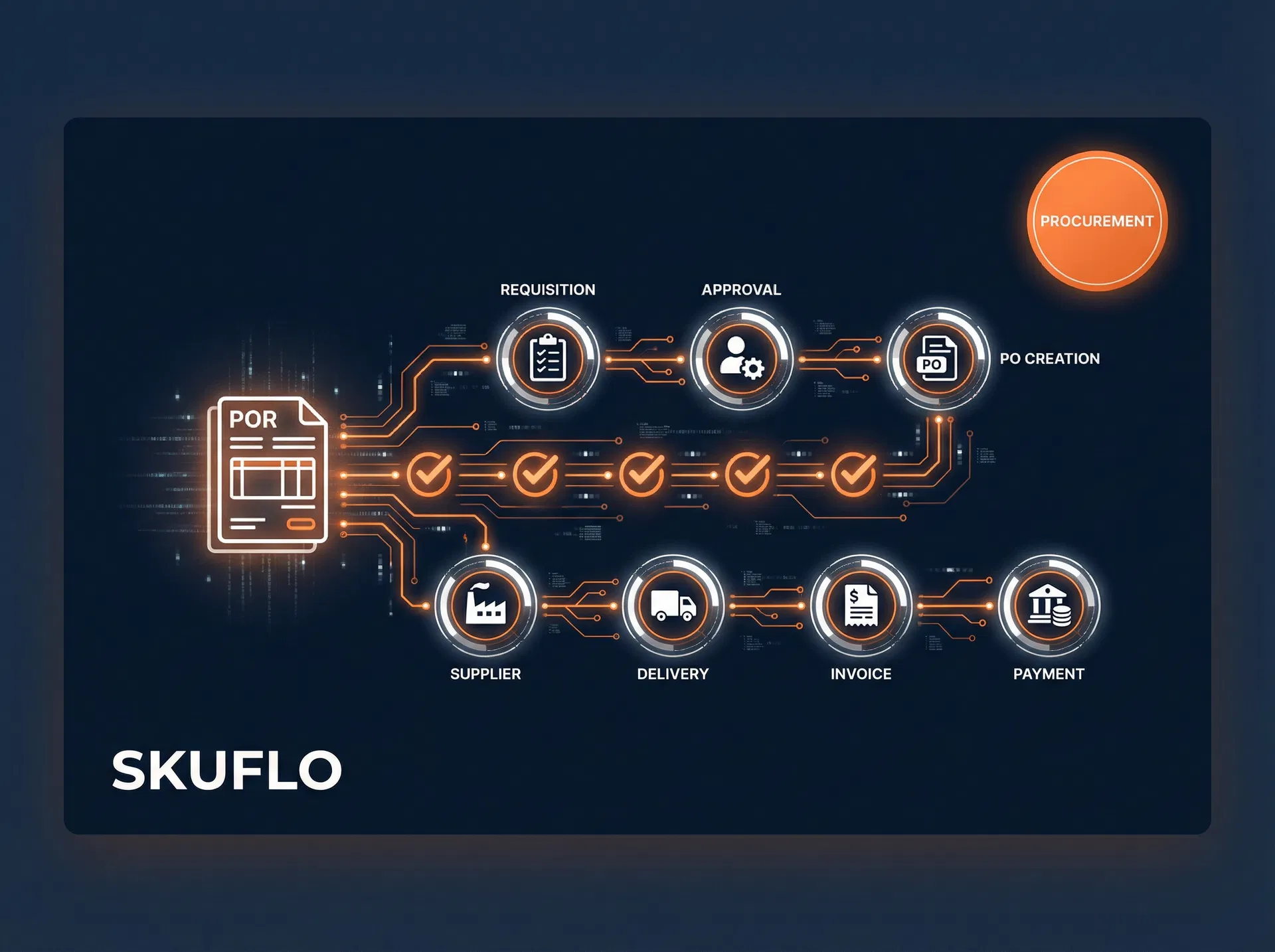
Purchase order automation replaces this chain of manual steps with a structured digital workflow: requisition approval, PO generation, supplier transmission, acknowledgement tracking, goods receipt matching, and invoice reconciliation — all handled by software, with humans intervening only when exceptions occur.
This guide explains how PO automation works, what measurable improvements to expect, and how to evaluate solutions for your specific procurement environment.
What Is Purchase Order Automation?
Purchase order automation is the use of software to handle the end-to-end lifecycle of a purchase order without manual re-entry or email chasing. A fully automated PO workflow typically covers:
- Requisition capture — buyers submit requests via a structured form or system, not email
- Approval routing — requests are automatically routed to the right approver based on value, category, or supplier
- PO generation — approved requisitions become POs automatically, populated with supplier details, pricing, and terms from a supplier master
- Supplier transmission — POs are sent to suppliers via EDI, supplier portal, or email with a structured PDF, with delivery confirmation tracked
- Acknowledgement management — supplier confirmations are captured and matched against the original PO; discrepancies are flagged
- Goods receipt matching — when goods arrive, the system matches the delivery note against the PO; variances trigger exception workflows
- Invoice reconciliation — supplier invoices are matched against the PO and goods receipt (three-way match); matched invoices are approved automatically
The result is a procurement process where the buyer's primary job shifts from data entry and chasing to exception management and supplier relationship development.
The Cost of Manual PO Processing
Before quantifying the gains from automation, it helps to understand what manual processing actually costs. Research from the Institute of Finance and Management (IOFM) consistently shows that the cost to process a single purchase order manually ranges from £50 to £200, depending on the number of approvals, the complexity of the supplier relationship, and the volume of exceptions.
The hidden costs are often larger than the visible ones. Late POs cause stockouts. Incorrect POs cause supplier disputes. Unmatched invoices cause payment delays that damage supplier relationships and, in some cases, trigger early payment discount penalties. These downstream costs rarely appear on a procurement dashboard but are very real.
How Purchase Order Automation Reduces Processing Time
The 60% reduction in PO processing time that many operations teams achieve comes from eliminating specific bottlenecks in the manual workflow. Here is where the time savings come from:
1. Eliminating Manual Data Entry
In a manual process, a buyer typically re-enters item codes, quantities, and pricing from a requisition into a PO template. With automation, approved requisitions populate POs directly from the supplier master and item catalogue. This step alone typically saves 15–25 minutes per PO.
2. Automating Approval Routing
Manual approval processes rely on email chains that are easy to lose, forget, or delay. Automated routing sends approval requests directly to the right person's dashboard or mobile app, with escalation rules that trigger if no response is received within a defined window. Approval cycle times typically drop from 1–2 days to 2–4 hours.
3. Structured Supplier Transmission
Emailing a PDF PO and waiting for a reply is slow and untrackable. Automated systems transmit POs via supplier portals or EDI and log the delivery timestamp. Suppliers who use the portal can acknowledge with a single click. Acknowledgement rates typically improve from 60% to over 95% within the first quarter of deployment.
4. Automated Three-Way Matching
Manually matching a PO, goods receipt note, and invoice is one of the most time-consuming tasks in accounts payable. Automated matching handles this in seconds for clean transactions, routing only exceptions to a human reviewer. Teams that automate three-way matching typically reduce invoice processing time by 70–80%.
Key Features to Look for in a PO Automation Solution
Not all PO automation tools are equal. When evaluating solutions, prioritise these capabilities:
| Feature | Why It Matters | Red Flag |
|---|---|---|
| Supplier portal | Allows suppliers to acknowledge POs, submit ASNs, and upload invoices directly — eliminating email | Portal requires suppliers to pay a fee to access |
| Configurable approval workflows | Routes POs based on value, category, supplier, or custom rules without IT involvement | Approval rules require developer changes to modify |
| ERP/WMS integration | Syncs PO data with your inventory and finance systems to avoid double entry | Integration is a paid add-on or requires middleware |
| Three-way match engine | Automatically matches PO, GRN, and invoice; flags discrepancies for human review | Matching is manual or only covers two-way (PO + invoice) |
| Spend analytics | Provides visibility into spend by supplier, category, and time period for negotiation leverage | Reporting requires a separate BI tool or manual export |
| Mobile approval | Allows approvers to review and approve POs from a phone, reducing bottlenecks when approvers are travelling | Mobile experience is a stripped-down version of the desktop UI |
| Audit trail | Records every action on every PO with timestamp and user — essential for compliance and dispute resolution | Audit logs are not exportable or are purged after 90 days |
PO Automation vs. AP Automation: What's the Difference?
These two terms are often used interchangeably but refer to different parts of the procurement lifecycle.
Purchase order automation focuses on the front end of the process: creating, approving, transmitting, and tracking purchase orders before goods are received.
Accounts payable (AP) automation focuses on the back end: receiving, matching, and approving supplier invoices for payment.
The two are complementary. PO automation without AP automation leaves the invoice matching process manual. AP automation without PO automation means invoices arrive without a corresponding PO to match against, which is a common cause of duplicate payments and fraud.
Implementation: A 6-Step Rollout Framework
Implementing PO automation is a change management exercise as much as a technology project. Teams that succeed typically follow a structured rollout:
Step 1: Audit your current PO process. Map every step from requisition to payment, identify the top five bottlenecks, and quantify the cost of each. This baseline will be your ROI benchmark.
Step 2: Clean your supplier master. Automation is only as good as the data it runs on. Before go-live, validate supplier bank details, contact information, and preferred transmission method (portal, EDI, or email PDF) for every active supplier.
Step 3: Define your approval matrix. Document who approves what, at what value threshold, and what happens when an approver is unavailable. This becomes the configuration input for your approval workflow engine.
Step 4: Run a pilot with 10–15 suppliers. Select a mix of high-volume and high-value suppliers for the pilot. Run the automated process in parallel with the manual process for the first two weeks to catch discrepancies before full cutover.
Step 5: Train buyers and approvers. The biggest risk in PO automation rollouts is user adoption. Buyers who are used to email-based processes need to understand why the new system benefits them — shorter approval cycles, fewer chasing calls, and a complete audit trail for every transaction.
Step 6: Monitor exception rates. In the first 90 days, track the percentage of POs that require manual intervention. A healthy automated process should have an exception rate below 15%. If it is higher, investigate whether the issue is data quality, supplier behaviour, or workflow configuration.
What Results Should You Expect?
Based on implementations across mid-market operations teams, here are realistic benchmarks for PO automation ROI:
| Metric | Before Automation | After Automation | Improvement |
|---|---|---|---|
| PO cycle time (requisition to transmission) | 3–5 days | 4–8 hours | ~85% reduction |
| Cost per PO | £80–£150 | £15–£35 | 60–80% reduction |
| Supplier acknowledgement rate | 55–65% | 90–97% | +35 percentage points |
| Invoice exception rate | 25–40% | 8–15% | ~65% reduction |
| Early payment discount capture | 20–30% | 70–85% | +50 percentage points |
| Buyer time on data entry | 40–60% of working day | 5–10% of working day | ~85% reduction |
The early payment discount capture improvement is often the most financially significant. Many supplier contracts include 2/10 net 30 terms (2% discount if paid within 10 days). Manual invoice processing rarely allows teams to capture these discounts consistently. Automated three-way matching enables same-day invoice approval for clean transactions, making discount capture routine.
How Skuflo Supports PO Automation
Skuflo's Supplier Hub includes a built-in PO automation module designed for mid-market operations teams that need structured procurement workflows without the complexity of enterprise procurement suites.
Key capabilities include:
- Structured requisition forms with category-based routing rules
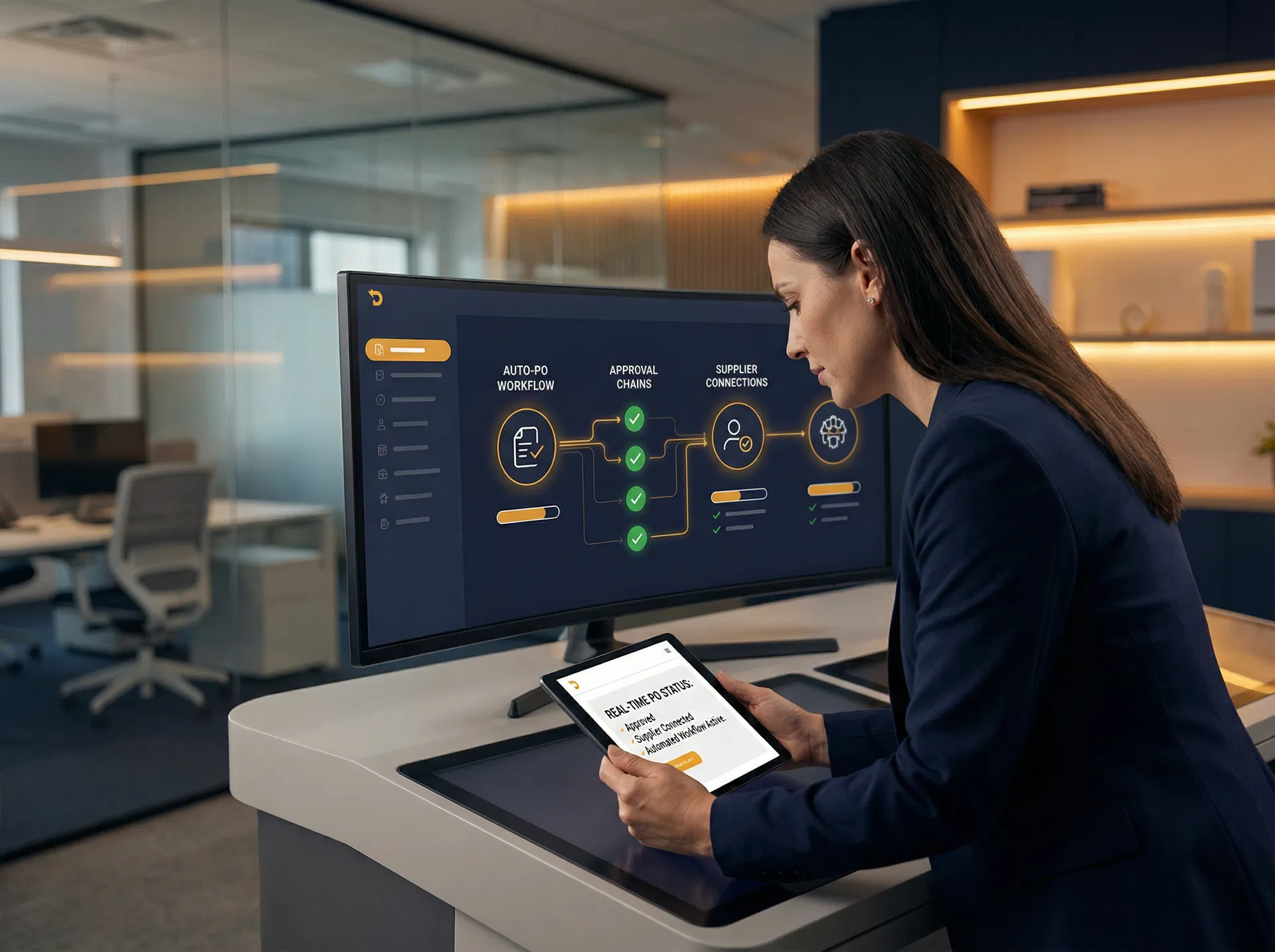
- Configurable approval workflows with mobile approval and escalation rules
- Supplier portal with zero-cost supplier access and PO acknowledgement tracking
- Three-way match engine for PO, GRN, and invoice reconciliation
- Spend analytics by supplier, category, and time period
- Full audit trail with timestamped actions for every PO
The module integrates natively with Skuflo's WMS and inventory management modules, so approved POs automatically update expected stock levels and trigger receiving workflows when goods arrive.
Frequently Asked Questions
How long does it take to implement PO automation?
For a mid-market operations team (50–500 suppliers, 100–500 POs per month), a structured implementation typically takes 6–12 weeks from contract to go-live. The primary variables are supplier master data quality and the complexity of your approval matrix. Teams with clean supplier data and simple approval structures can go live in 4–6 weeks.
Do suppliers need to pay to use the supplier portal?
With Skuflo's Supplier Hub, supplier portal access is free for all suppliers. Some enterprise procurement platforms charge suppliers a transaction fee to access their portals, which creates adoption friction. Free supplier access is a prerequisite for achieving high acknowledgement rates.
Can PO automation work without an ERP?
Yes. Many mid-market teams implement PO automation before or instead of a full ERP. The PO automation system becomes the system of record for procurement transactions, with exports to accounting software (Xero, QuickBooks, Sage) for payment processing. Full ERP integration is valuable but not a prerequisite.
What is the difference between a PO and an invoice?
A purchase order is a document issued by the buyer to the supplier, authorising the purchase of specific goods or services at an agreed price. An invoice is a document issued by the supplier to the buyer, requesting payment for goods or services delivered. PO automation manages the buyer-side document; AP automation manages the supplier-side document. Three-way matching reconciles both.
How does PO automation handle emergency or spot purchases?
Most PO automation systems include an expedited approval path for urgent purchases, with a shorter approval chain and a higher value threshold for single-approver sign-off. Some systems also support blanket POs for recurring purchases from approved suppliers, which eliminates the need for individual PO approval on each transaction.
Conclusion
Purchase order automation is one of the highest-ROI investments available to operations teams. The combination of faster cycle times, lower processing costs, higher supplier acknowledgement rates, and improved invoice match rates typically delivers payback within 6–12 months of go-live.
The key to a successful implementation is treating it as a data and process project first, and a technology project second. Clean supplier master data, a well-defined approval matrix, and a structured supplier onboarding programme are the foundations on which automation delivers its full potential.
If your team is processing more than 50 purchase orders per month and still relying on email and spreadsheets, the cost of inaction is already measurable. The question is not whether to automate, but how quickly you can get there.