What Is a Warehouse Management System?
A warehouse management system (WMS) is software that controls and optimises the movement and storage of goods within a warehouse or distribution centre. It manages the full lifecycle of inventory — from inbound receiving and putaway through picking, packing, and outbound shipping — and provides real-time visibility into stock levels, locations, and movement.
Modern WMS platforms go beyond basic inventory tracking. They integrate with ERP systems, transport management systems (TMS), and e-commerce platforms to create a connected fulfilment ecosystem. They use data from barcode scanners, RFID readers, and IoT sensors to maintain accurate inventory records and guide warehouse staff through optimised workflows.
The global WMS market was valued at approximately $3.9 billion in 2024 and is projected to reach $8.1 billion by 2030, driven by the growth of e-commerce, the rise of same-day delivery expectations, and increasing labour costs that make automation essential.
---
The 12 Must-Have WMS Features for 2026
1. Real-Time Inventory Visibility
The foundation of any WMS is accurate, real-time inventory data. This means knowing not just how many units you have, but exactly where they are — which bin, which aisle, which location — at any given moment.
Look for a WMS that updates inventory records in real time as goods move through the warehouse, not in batch updates at the end of a shift. Real-time visibility reduces mis-picks, prevents overselling, and gives your customer service team accurate stock information when customers call.
What to evaluate: Ask vendors how inventory records are updated — in real time or on a batch schedule. Request a demonstration of a live pick operation and verify that inventory counts update immediately after each scan.
2. Directed Putaway and Picking
Directed workflows are what separate a WMS from a basic inventory spreadsheet. A directed putaway system tells warehouse staff exactly where to store incoming goods based on rules you define — product velocity, storage requirements, weight, size, and existing stock levels. A directed picking system generates optimised pick paths that minimise travel distance and maximise picks per hour.
The best systems use zone picking, batch picking, and wave picking strategies that can be configured based on order type, order volume, and staffing levels. They adapt dynamically as conditions change throughout the day.
What to evaluate: Ask whether pick path optimisation is included in the base package or priced as an add-on. Request data on average pick rate improvements customers have achieved after implementation.
3. Multi-Location and Multi-Warehouse Management
If you operate more than one warehouse — or plan to — your WMS must support multi-location inventory management from a single platform. This means unified stock visibility across all locations, the ability to transfer stock between locations, and location-specific picking and fulfilment rules.
For brands with both a distribution centre and retail locations, the WMS should be able to fulfil orders from the nearest or most cost-effective location, and provide consolidated reporting across all sites.
What to evaluate: Ask how many locations the platform currently supports and whether there are per-location pricing tiers. Request a demonstration of cross-location stock transfer and consolidated inventory reporting.
4. Barcode Scanning and RFID Support
Every modern WMS must support barcode scanning as a minimum. The best platforms also support RFID for high-velocity operations where scanning individual items is impractical. Look for support for 1D barcodes, 2D QR codes, and GS1 standards.
Mobile scanning via handheld devices or wearable scanners is essential for directed picking workflows. Some platforms also support voice-directed picking, where warehouse staff receive pick instructions through a headset and confirm picks verbally — a proven method for improving accuracy in high-volume operations.
What to evaluate: Ask whether mobile scanning hardware is included, recommended, or sold separately. Check whether the platform supports the specific barcode formats your suppliers use.
5. Receiving and Quality Control Workflows
Inbound receiving is where inventory accuracy is won or lost. A strong WMS provides structured receiving workflows that match incoming shipments against purchase orders, flag discrepancies, and route goods through quality control checks before they enter the main inventory.
Look for support for blind receiving (where staff count goods without seeing the expected quantity, preventing confirmation bias), lot and serial number tracking, and expiry date management for perishable or regulated goods.
What to evaluate: Ask how the system handles receiving discrepancies — partial shipments, damaged goods, and quantity mismatches. Request a demonstration of the quality control workflow for a new supplier's first shipment.
6. Returns Management (Reverse Logistics)
Returns processing is one of the most labour-intensive and error-prone warehouse operations. A WMS with built-in returns management automates the triage process — routing returned items to inspection, restocking, quarantine, or disposal based on rules you define.
For e-commerce operations, returns rates of 20–30% are common. Without a structured returns workflow, returned inventory accumulates in staging areas, creating inaccurate stock counts and lost revenue from goods that could be restocked.
What to evaluate: Ask whether returns management is included in the base package or priced separately. Request data on average returns processing time before and after WMS implementation for existing customers.
7. Order Management and Wave Planning
A WMS should not just manage inventory — it should actively optimise the order fulfilment process. Wave planning groups orders into batches based on shipping deadlines, carrier cutoff times, and staffing availability. This ensures that time-sensitive orders are prioritised and that pick operations are structured to maximise throughput.
Look for automatic wave creation based on rules you define, the ability to manually adjust waves when priorities change, and real-time wave progress tracking so supervisors can identify bottlenecks before they cause delays.
What to evaluate: Ask how wave planning is configured and whether it can be automated. Request a demonstration of a wave planning session for a peak-volume day with mixed order priorities.
8. Carrier Integration and Shipping Label Generation
A WMS that does not integrate with your carriers creates a manual handoff that slows down shipping and introduces errors. Look for native integrations with the carriers you use — FedEx, UPS, DHL, Royal Mail, DPD — and the ability to generate shipping labels, packing slips, and customs documentation directly from the WMS.
Multi-carrier rate shopping — where the system automatically selects the cheapest carrier that meets the delivery deadline — can reduce shipping costs by 8–15% for high-volume shippers.
What to evaluate: Ask which carriers are supported natively and which require third-party middleware. Request a demonstration of the label generation workflow for an international shipment with customs documentation.
9. AI-Powered Slotting Optimisation
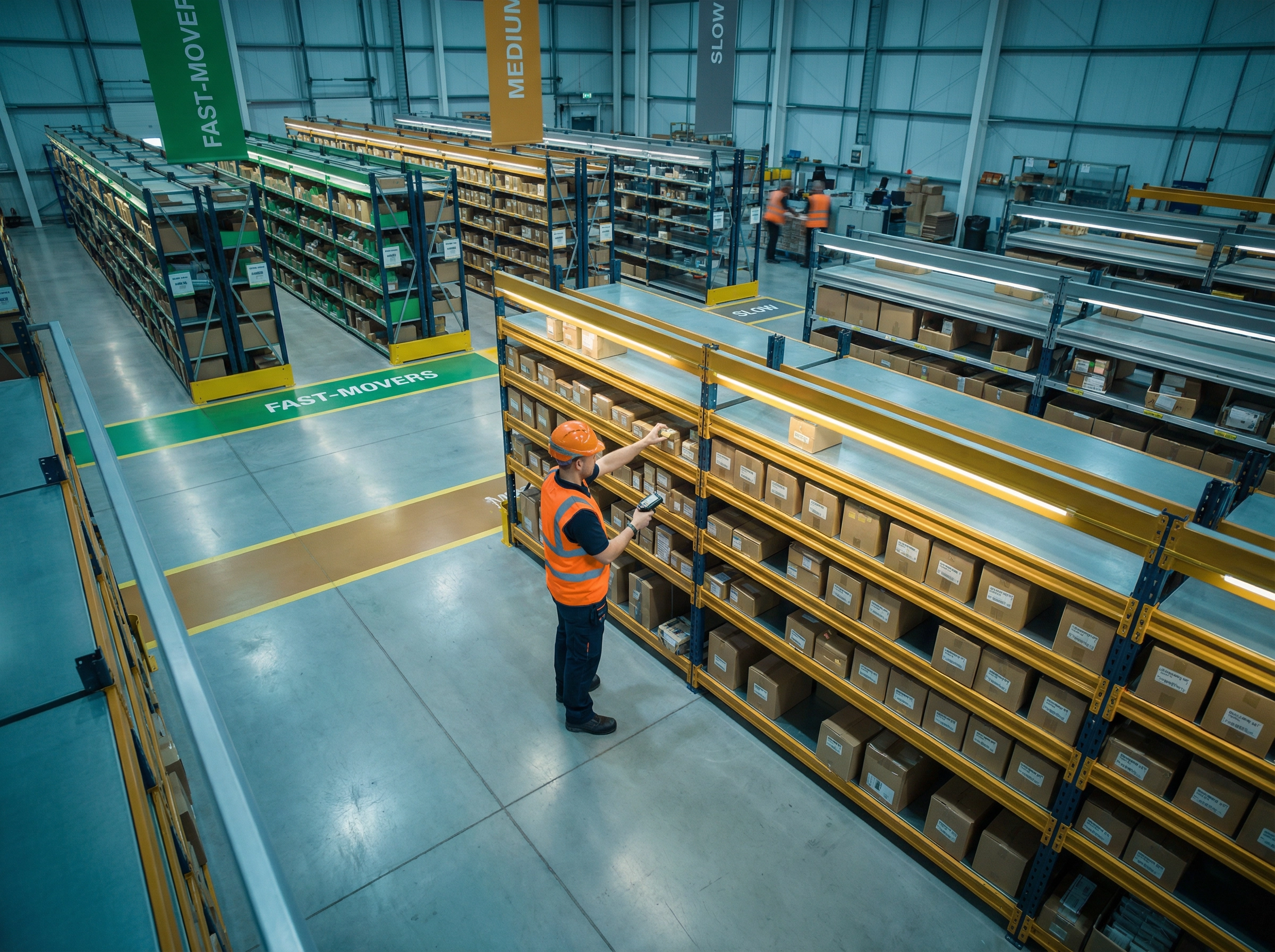
Slotting — the process of deciding where to store each SKU in the warehouse — has a direct impact on pick rates and labour costs. Manual slotting decisions quickly become outdated as product velocity changes. AI-powered slotting continuously analyses pick data and recommends slot reassignments to keep high-velocity items in the golden zone (waist-height, near the pick path) and low-velocity items in less accessible locations.
Leading WMS platforms now include slotting optimisation as a standard feature. Platforms that still require manual slotting decisions or charge extra for AI-powered recommendations are falling behind.
What to evaluate: Ask how frequently the system recalculates slotting recommendations and whether implementation is automated or requires manual approval. Request data on pick rate improvements achieved through AI slotting for existing customers.
10. Labour Management and Productivity Tracking
Labour is typically the largest cost in warehouse operations, accounting for 50–70% of total operating costs. A WMS with built-in labour management tracks individual and team productivity, compares actual performance against engineered standards, and identifies training needs and process bottlenecks.
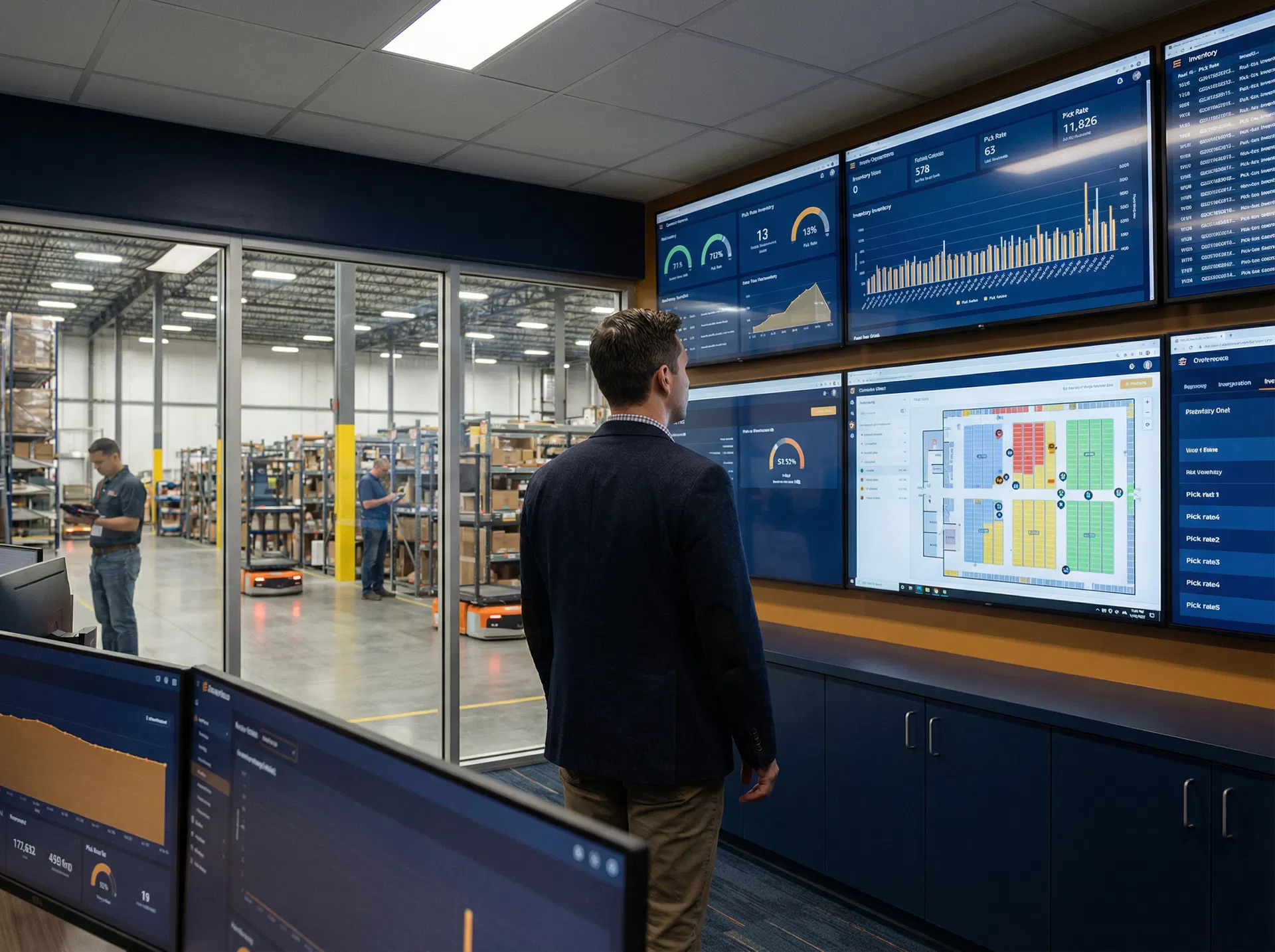
Look for real-time productivity dashboards, individual pick rate tracking, and the ability to set productivity targets by role and shift. Some platforms also include gamification features — leaderboards, performance badges — that have been shown to improve productivity by 10–20% in warehouse environments.
What to evaluate: Ask whether labour management is included in the base package or priced as an add-on module. Request a demonstration of the productivity dashboard for a warehouse with 20+ pickers.
11. Integration with ERP, E-Commerce, and TMS
A WMS that operates in isolation creates data silos and manual reconciliation work. Look for native integrations with the systems you already use — SAP, NetSuite, Microsoft Dynamics, Shopify, Magento, WooCommerce — and an open API for custom integrations.
The integration architecture matters as much as the integrations themselves. Bidirectional, real-time integrations are significantly more valuable than one-way, batch-scheduled syncs. Ask vendors to demonstrate a live order flowing from your e-commerce platform through the WMS to a shipping label, with inventory updating in real time.
What to evaluate: Ask for a complete list of native integrations and their sync frequency. Request the API documentation and ask whether API access is included in the base package or priced separately.
12. Analytics, Reporting, and Forecasting
A modern WMS should be a source of operational intelligence, not just a transaction system. Look for built-in dashboards that track the KPIs that matter most to your operation — order accuracy rate, on-time shipment rate, inventory turnover, pick rate per hour, and receiving cycle time.
Advanced platforms include demand forecasting that analyses historical order data to predict future stock requirements, helping you make more accurate purchasing decisions and reduce both stockouts and excess inventory. Look for the ability to export data to BI tools like Power BI or Tableau for custom analysis.
What to evaluate: Ask which KPIs are tracked out of the box and which require custom report configuration. Request a demonstration of the demand forecasting module with at least 12 months of historical data.
---
WMS Features Comparison: What's Standard vs. Premium
| Feature | Basic WMS | Mid-Market WMS | Enterprise WMS |
|---|---|---|---|
| Real-time inventory tracking | ✓ | ✓ | ✓ |
| Directed picking | Limited | ✓ | ✓ |
| Multi-location support | ✗ | ✓ | ✓ |
| RFID support | ✗ | Optional | ✓ |
| Returns management | Basic | ✓ | ✓ |
| Wave planning | Manual | Automated | AI-optimised |
| Carrier integration | 1–3 carriers | 10+ carriers | All major carriers |
| AI slotting | ✗ | Optional | ✓ |
| Labour management | ✗ | Optional | ✓ |
| ERP integration | Limited | ✓ | ✓ |
| Demand forecasting | ✗ | Optional | ✓ |
| Open API | ✗ | ✓ | ✓ |
5 Red Flags When Evaluating a WMS
1. Batch inventory updates. If the system updates inventory records on a schedule rather than in real time, you will always be working with stale data. This is a fundamental architectural limitation that cannot be resolved with configuration changes.
2. Per-module pricing for core features. Some vendors advertise a low base price and then charge separately for returns management, multi-location support, and carrier integrations. Calculate the total cost of ownership including all the modules you need before comparing prices.
3. No open API. A WMS without an open API will become a data silo. As your technology stack evolves, you will need to integrate new systems — and a closed platform will make that expensive or impossible.
4. Implementation timelines over 6 months. Modern cloud-native WMS platforms can be implemented in 6–12 weeks for most mid-market operations. If a vendor is quoting 6–18 months for implementation, they are likely selling a heavily customised on-premise system that will be difficult to update and maintain.
5. References only from large enterprises. If a vendor cannot provide references from businesses of similar size and complexity to yours, their platform may be over-engineered for your needs — or they may not have successfully implemented it at your scale.
---
Questions to Ask Every WMS Vendor
Before signing a contract, get clear answers to these questions:
- What is the total cost of ownership over three years, including implementation, training, support, and all modules we need?
- How long does a typical implementation take for a business of our size and complexity?
- What is your uptime SLA and what happens if the system goes down during a peak trading period?
- How are software updates delivered and how much disruption do they cause to operations?
- What does your customer support model look like — dedicated account manager, shared support queue, or self-service only?
- Can you provide three references from businesses of similar size and complexity who have been live on the platform for at least 12 months?
How Skuflo Addresses These Requirements
Skuflo's WMS module was built for mid-market operations teams who need enterprise-grade functionality without enterprise-grade complexity. It includes real-time inventory tracking, AI-powered slotting, multi-location support, and native integrations with leading ERP and e-commerce platforms — all in a single platform with a transparent pricing model.
Unlike legacy WMS vendors who charge separately for core features, Skuflo includes directed picking, returns management, wave planning, and labour productivity tracking in every plan. The open API and pre-built integrations with Shopify, NetSuite, SAP, and 40+ other platforms mean you can connect your existing technology stack without expensive middleware.
---
Frequently Asked Questions
What is the difference between a WMS and an ERP inventory module?
An ERP inventory module tracks stock quantities and values at a financial level. A WMS manages the physical movement of goods within the warehouse — where items are stored, how they are picked, and how they are shipped. Most businesses need both: the ERP for financial inventory management and the WMS for operational execution. Modern WMS platforms integrate bidirectionally with ERP systems so both stay in sync.
How long does a WMS implementation typically take?
For a mid-market operation (1–3 warehouses, 10–50 warehouse staff), a cloud-native WMS typically takes 6–12 weeks to implement. This includes data migration, integration setup, staff training, and a parallel-run period before going live. On-premise or heavily customised WMS implementations can take 6–18 months.
What is the ROI of a WMS implementation?
Most mid-market WMS implementations achieve ROI within 12–18 months. Common sources of ROI include reduced picking errors (which cost an average of £15–£25 per error to resolve), improved pick rates (typically 20–35% improvement), reduced inventory carrying costs through better stock accuracy, and reduced labour costs through directed workflows.
Can a WMS work without an ERP?
Yes. Many growing businesses implement a WMS before they have an ERP. In this case, the WMS handles both inventory tracking and warehouse operations. When the business later implements an ERP, the WMS integrates with it. Most WMS vendors have experience with this migration path.
What is the difference between a cloud WMS and an on-premise WMS?
A cloud WMS is hosted by the vendor and accessed via a web browser or mobile app. Updates are delivered automatically, there is no on-premise hardware to maintain, and the system can be accessed from anywhere. An on-premise WMS is installed on servers at your facility. It offers more customisation but requires significant IT resources to maintain and update. For most mid-market operations, a cloud WMS is the better choice in 2026.